
What Is a Recipe Calculator?
A recipe calculator is a tool that proportionally adjusts ingredient quantities when you change the number of servings a recipe produces. It replaces manual arithmetic with instant, accurate calculations.
The underlying math is simple: scaling factor = desired servings ÷ original servings. Multiply every ingredient by this factor and you have your scaled recipe. But doing this manually for a recipe with 15 ingredients — each with its own unit — is tedious and error-prone. That's where a recipe calculator saves time and reduces mistakes.
A good recipe calculator doesn't just multiply numbers. It understands that some ingredients behave differently when scaled. A professional-grade recipe scaler like RecipeFlow presents these nuances clearly so you can make informed adjustments.
How Recipe Scaling Works
The core formula behind any recipe calculator: new quantity = original quantity × (desired servings ÷ original servings).
Examples:
- Double a recipe (2×): A recipe for 4 servings → scale to 8. Multiply everything by 2.
- Triple a recipe (3×): A recipe for 4 → scale to 12. Multiply by 3.
- Halve a recipe (0.5×): A recipe for 8 → scale to 4. Multiply by 0.5.
- Odd scaling: A recipe for 6 → scale to 10. Multiply by 10÷6 = 1.667.
RecipeFlow's ingredient calculator applies this formula to every ingredient simultaneously, displaying results in the original units or converting to more convenient ones (e.g., 1.5 cups instead of 24 tablespoons).
Units and Conversions in Scaled Recipes
When quantities grow after scaling, unwieldy amounts appear: 12 tablespoons instead of ¾ cup, or 300g instead of a standard cup measure. A smart recipe multiplier consolidates these into practical units — so you read '¾ cup' rather than '12 tablespoons', and '1¼ cups' rather than '300ml'.
When Do You Need a Recipe Calculator?
You need a recipe calculator any time the serving yield of a recipe doesn't match what you need:
- Cooking for a crowd: Scaling a pasta recipe from 4 to 20 servings for a party.
- Cooking for one: Halving or quartering a family-sized recipe for a solo meal.
- Batch cooking and meal prep: Tripling a recipe to pre-cook portions for the week.
- Bakeware changes: Moving from a 9-inch to a 6-inch cake pan requires scaling down by the ratio of the pan areas.
- Ingredient availability: You have 300g of chicken but the recipe calls for 400g — scaling down by 75%.
All of these are straightforward with a serving calculator, but time-consuming to do by hand.
Common Mistakes When Scaling Recipes
Most ingredients scale linearly, but several require special attention:
Leavening Agents (Baking Powder, Baking Soda, Yeast)
Leavening agents do not scale linearly when you multiply a recipe by more than 2–3×. Too much baking powder produces a metallic, soapy taste. Too much baking soda causes over-browning and bitterness. As a rule: when scaling up by more than 2×, increase leavening by only 75% of the mathematical proportion, then adjust based on results.
Salt and Spices
Salt and strong spices (chili, black pepper, dried herbs) are often better scaled at 75% of the linear amount, then adjusted to taste. Flavor compounds concentrate differently in large volumes, and what tastes balanced in a small batch can become overwhelming when tripled.
Cooking Time and Temperature
Scaling a recipe does not scale cooking time or temperature. A doubled batch of cookies still bakes at the same temperature for roughly the same time — you just bake more trays. A doubled cake batter may need a longer bake time if poured into a deeper pan. Always use visual and temperature cues rather than doubling cook times.
Pan Size
When you change pan size, the surface-area-to-volume ratio changes, affecting browning, evaporation, and doneness. The correct scaling factor for pans is based on area, not diameter: a 9-inch round pan has 63.6 sq in of area; a 6-inch pan has 28.3 sq in. The scaling factor is 28.3÷63.6 = 0.445, so you'd use about 45% of the recipe quantities.
Baking vs. Cooking: Different Scaling Rules
Cooking (soups, stews, sautés) is forgiving — most ingredients scale linearly and the cook can taste and adjust. Baking is chemistry: ratios between flour, fat, liquid, and leavening determine texture and structure. Scaling a baking recipe requires precision that cooking does not.
This is why professional bakers use baker's percentage — expressing all ingredients as percentages of flour weight — which makes large-scale production predictable. RecipeFlow supports both standard scaling and baker's percentage, giving home bakers a professional-level tool for accurate recipe scaling.
How RecipeFlow's Recipe Calculator Works
RecipeFlow's built-in recipe calculator integrates directly with your saved recipes:
- Open any saved recipe.
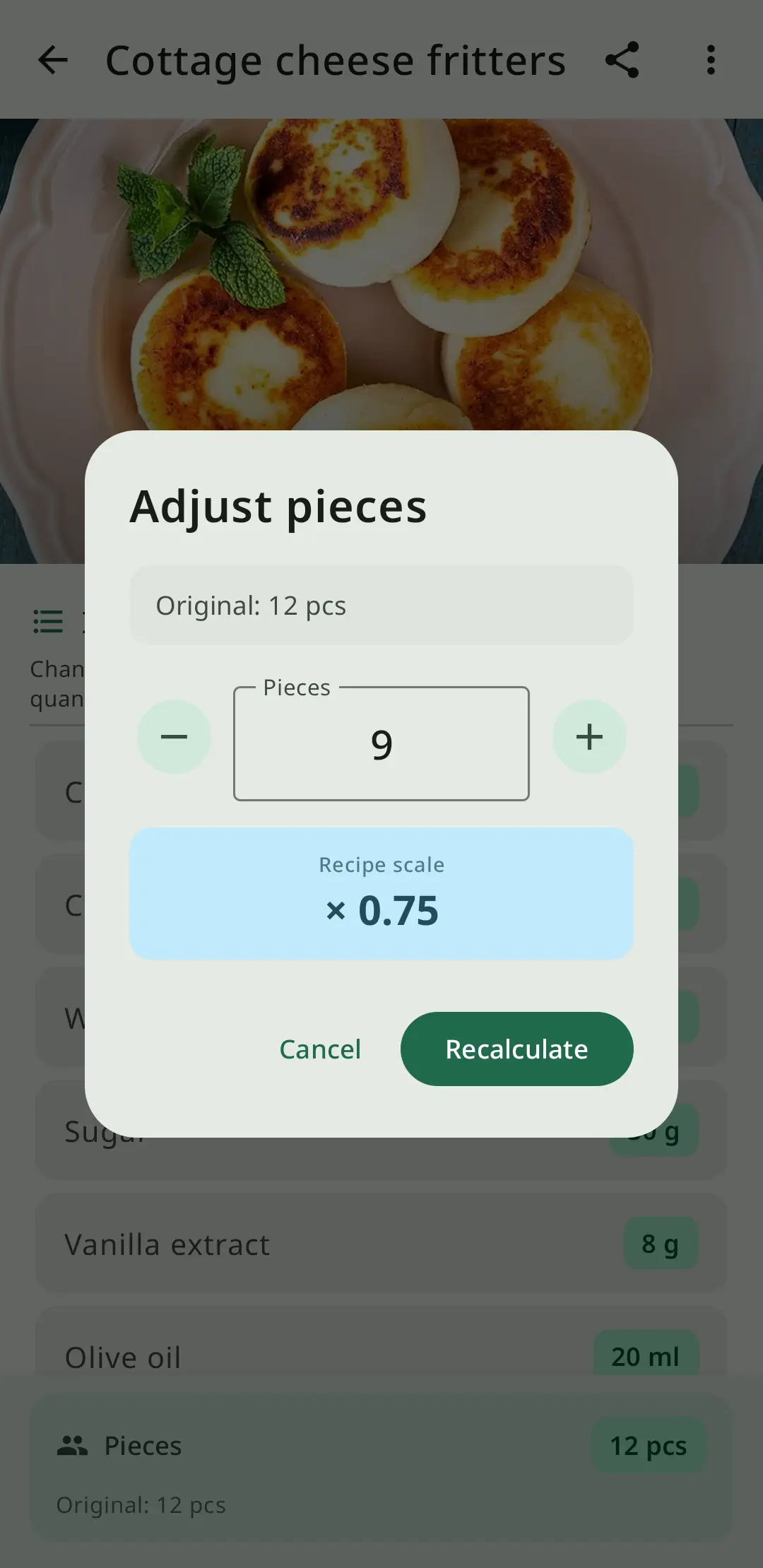
- Tap the serving size field and enter your desired number of servings.
- Every ingredient quantity updates instantly in the most practical unit.
- Optionally switch to baker's percentage view for baking recipes.
The app supports scaling by servings, by weight (e.g., 'I want to make exactly 500g of dough'), and by individual ingredient (e.g., 'I only have 2 eggs — scale the rest to match'). This makes RecipeFlow the most flexible recipe multiplier and portion calculator available for home cooks and bakers.