★★★★★
Finally a recipe app that actually works. I love that I can scale recipes instantly — doubled my grandmother's pie recipe for Thanksgiving without any math mistakes.
Save recipes, scale ingredients, calculate nutrition, convert measurements, and plan meals in one organized cookbook app for Android.
A practical recipe app for home cooks, bakers, meal planners, and anyone who wants a cleaner digital cookbook.
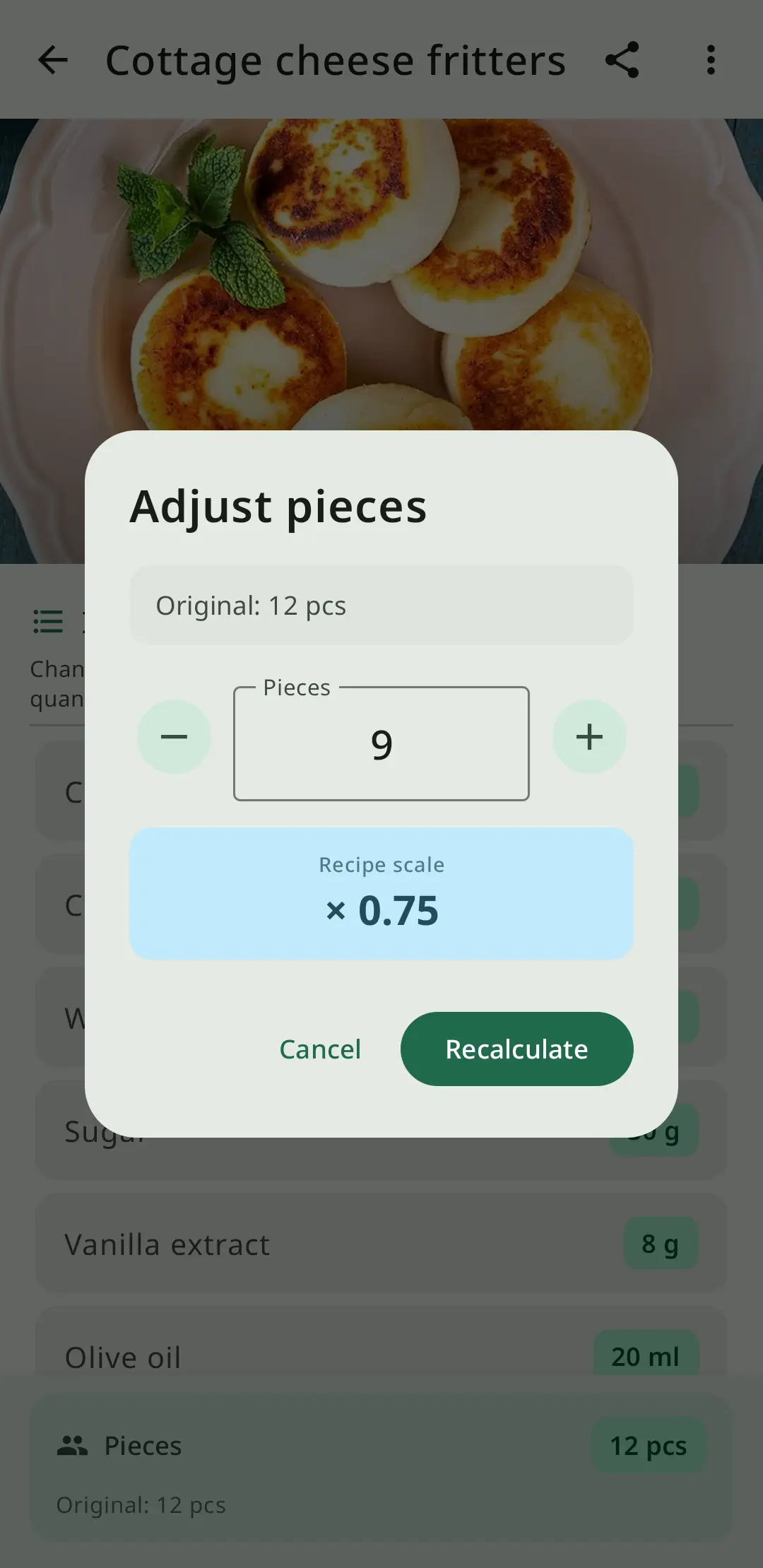
Smart Recipe Scaling
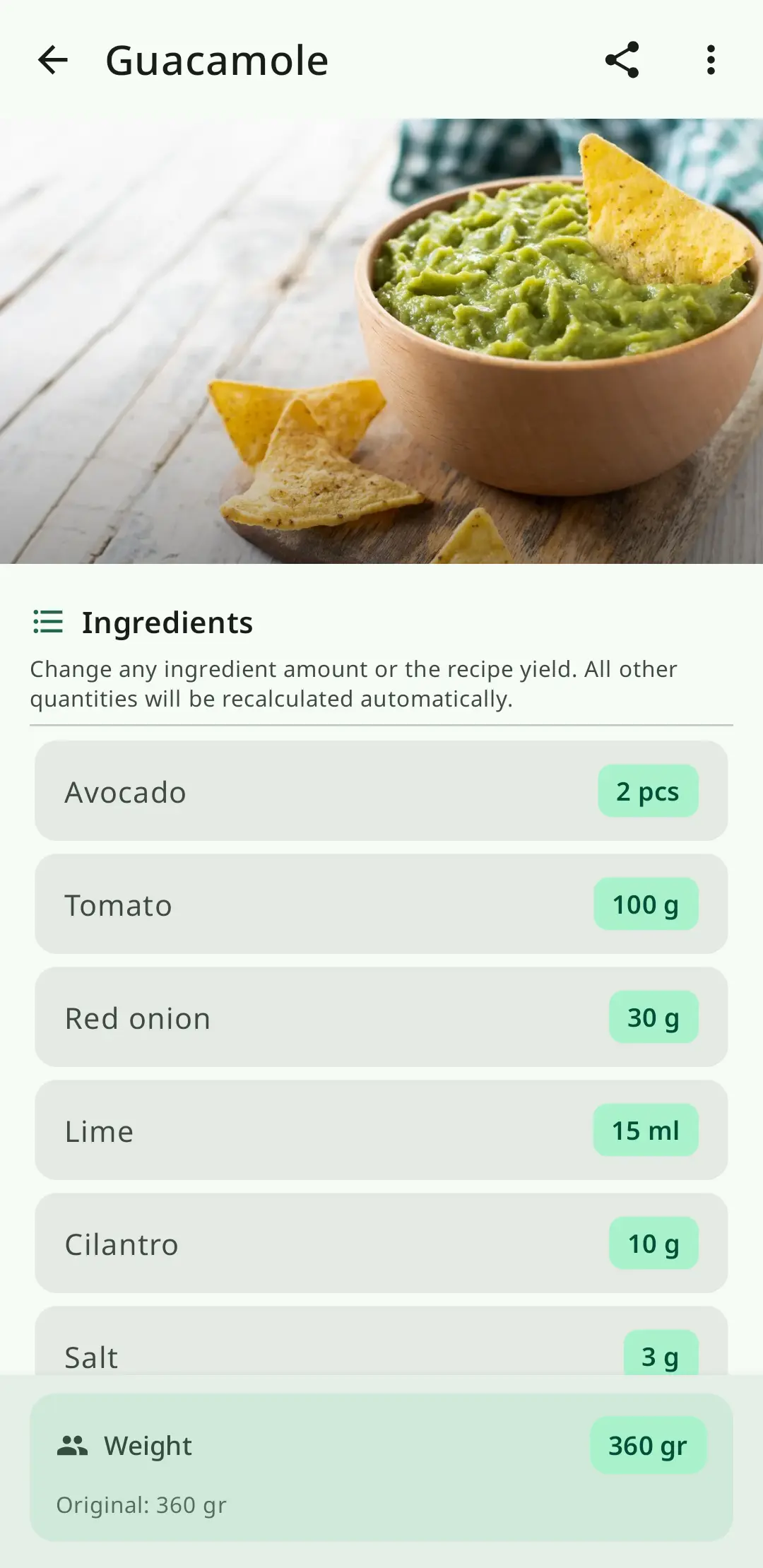
Precise Nutrition Tracking
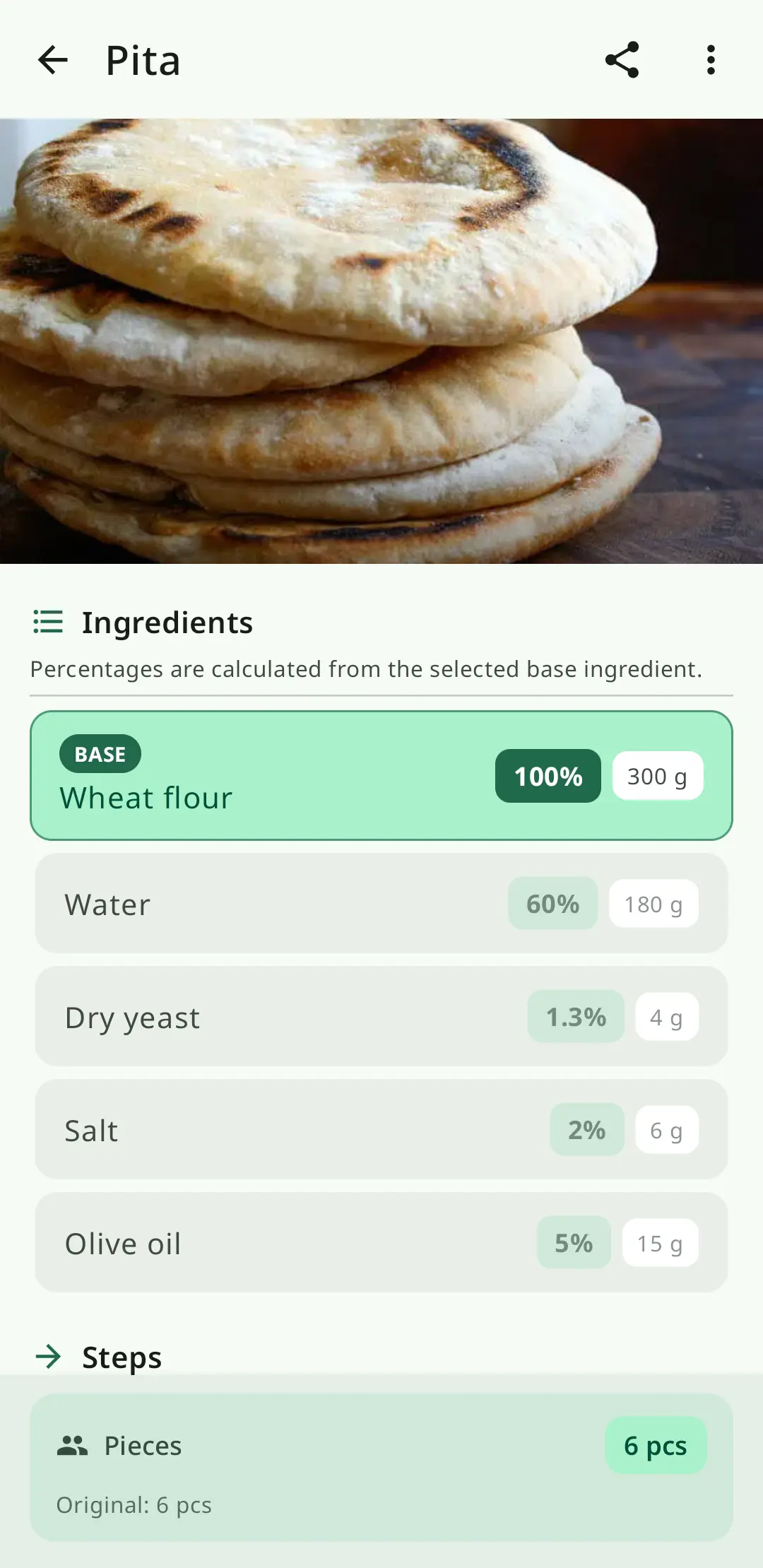
Baker's Percentage
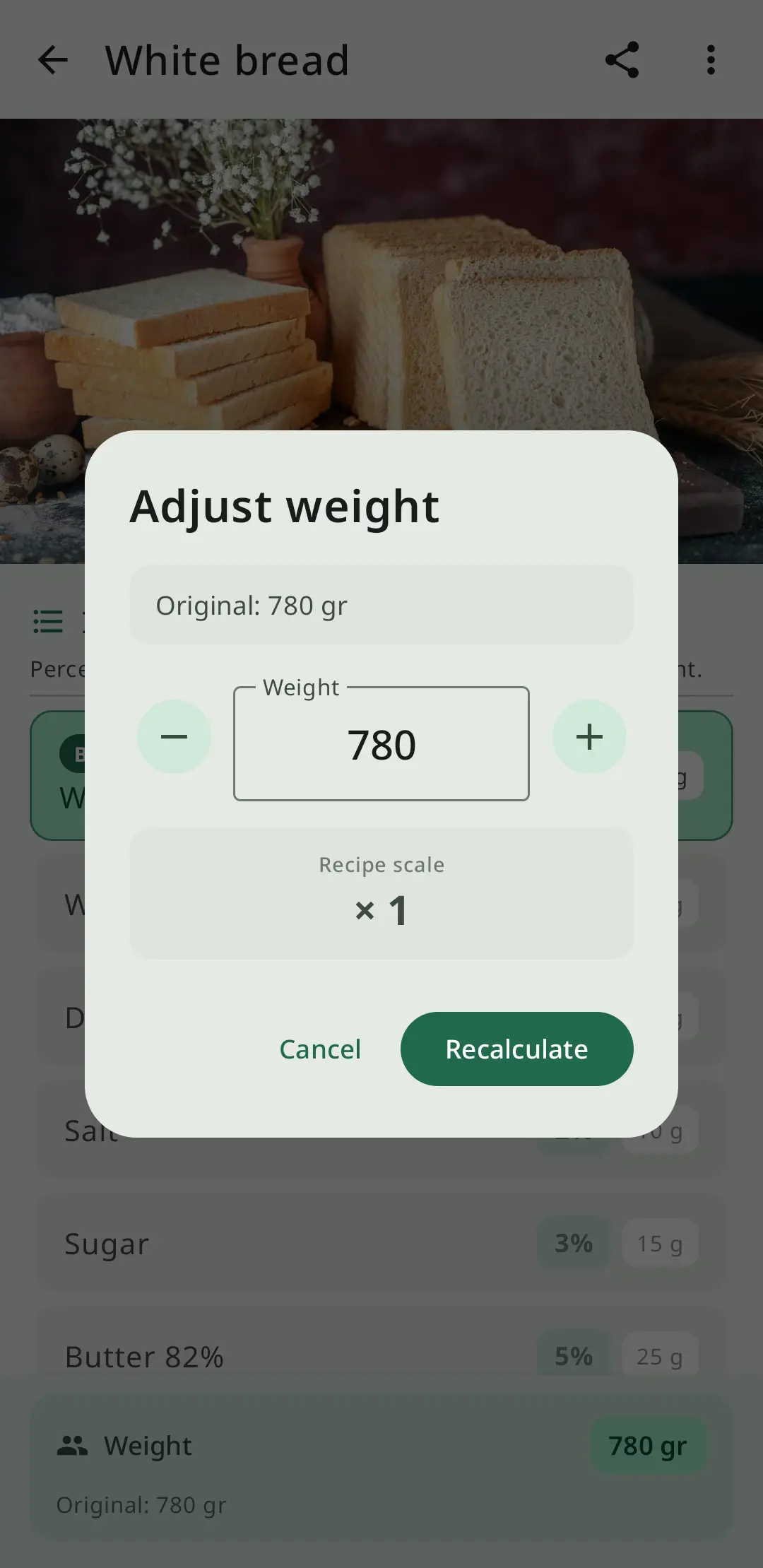
Adjust Recipes Instantly
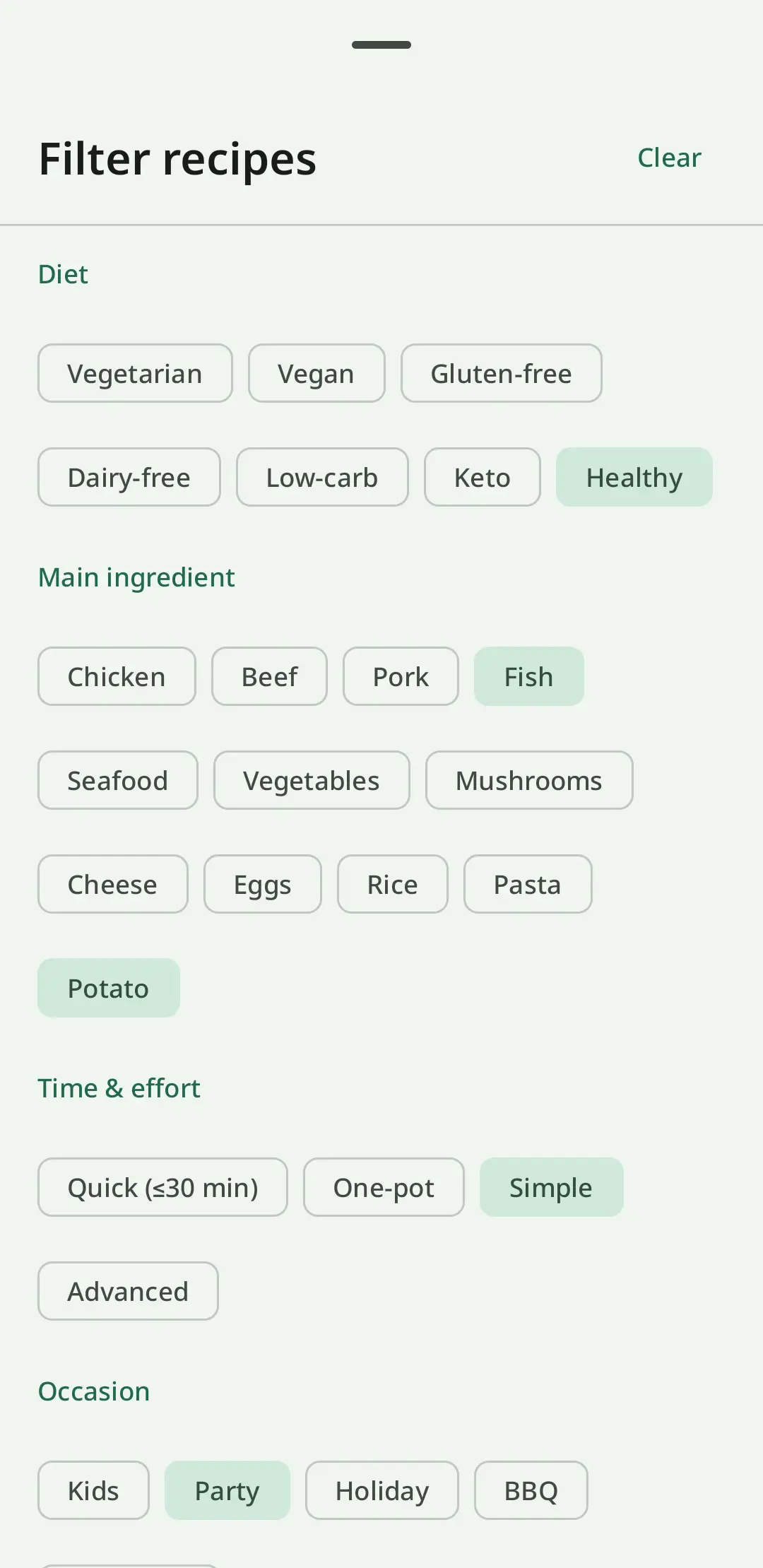
Recipe Collections & Tags
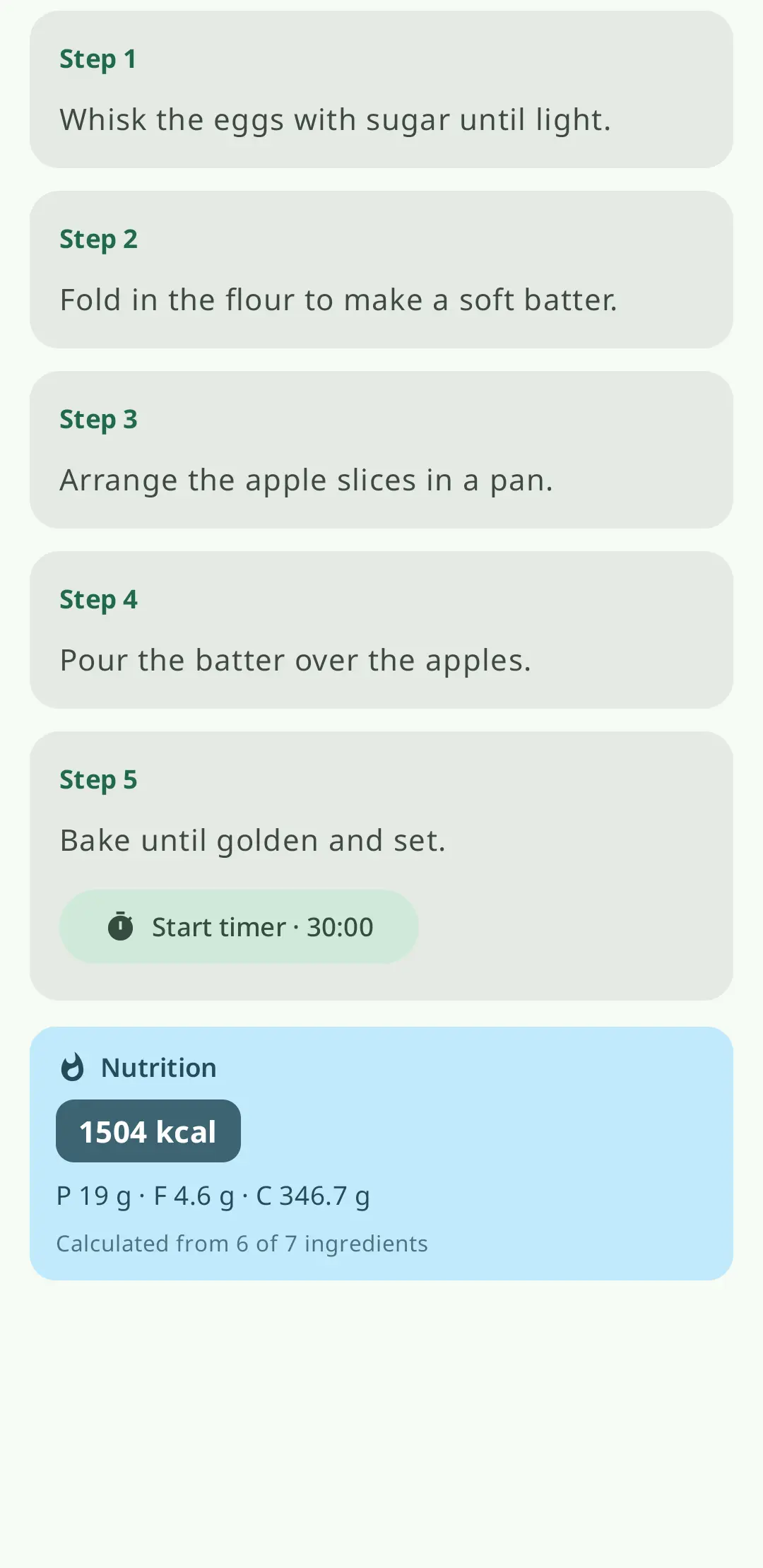
Cook Step by Step
Stop losing recipes scattered across bookmarks, notebooks, and screenshots. RecipeFlow is a complete recipe keeper and recipe organizer that lets you build a searchable, well-organized personal cookbook.
Add recipes manually, organize them with tags and custom categories, and find any dish in seconds with the built-in search. Your entire recipe collection lives in one place, backed up to the cloud.
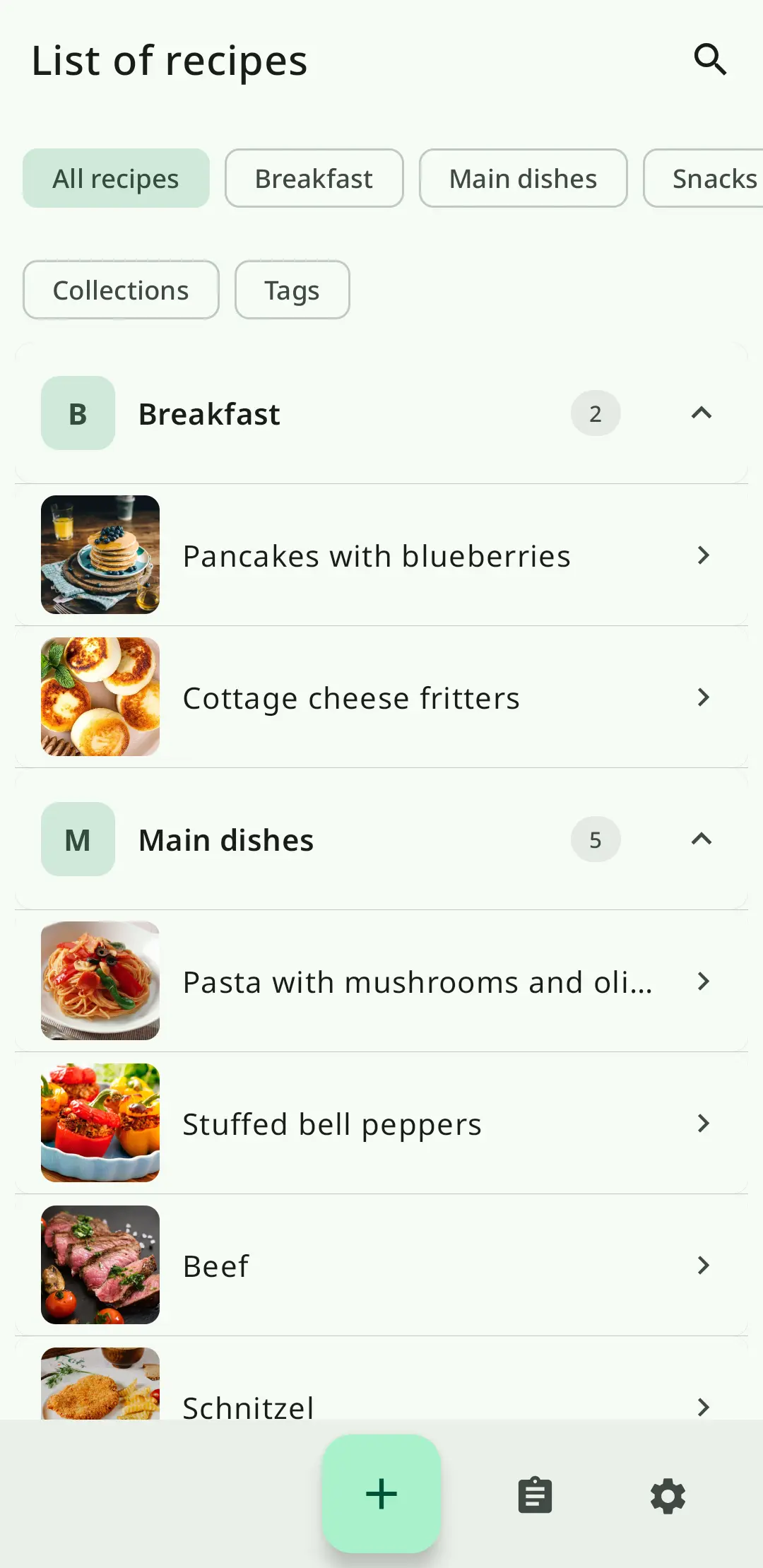
The built-in recipe calculator lets you scale recipes up or down instantly. Change the number of servings and every ingredient quantity updates automatically — no math required.
Whether you're doubling a batch of cookies for a bake sale or halving a soup recipe for a solo dinner, the recipe scaler handles proportions precisely. Works as a recipe multiplier, recipe divider, and portion calculator all in one.
Baking requires precision. The recipe converter in RecipeFlow handles all common kitchen measurement conversions: cups to grams, grams to ounces, ml to cups, tablespoons to ml, and more.
Unlike generic converters, RecipeFlow knows that 1 cup of flour is not the same weight as 1 cup of sugar. Conversions account for ingredient density, giving you accurate results every time.
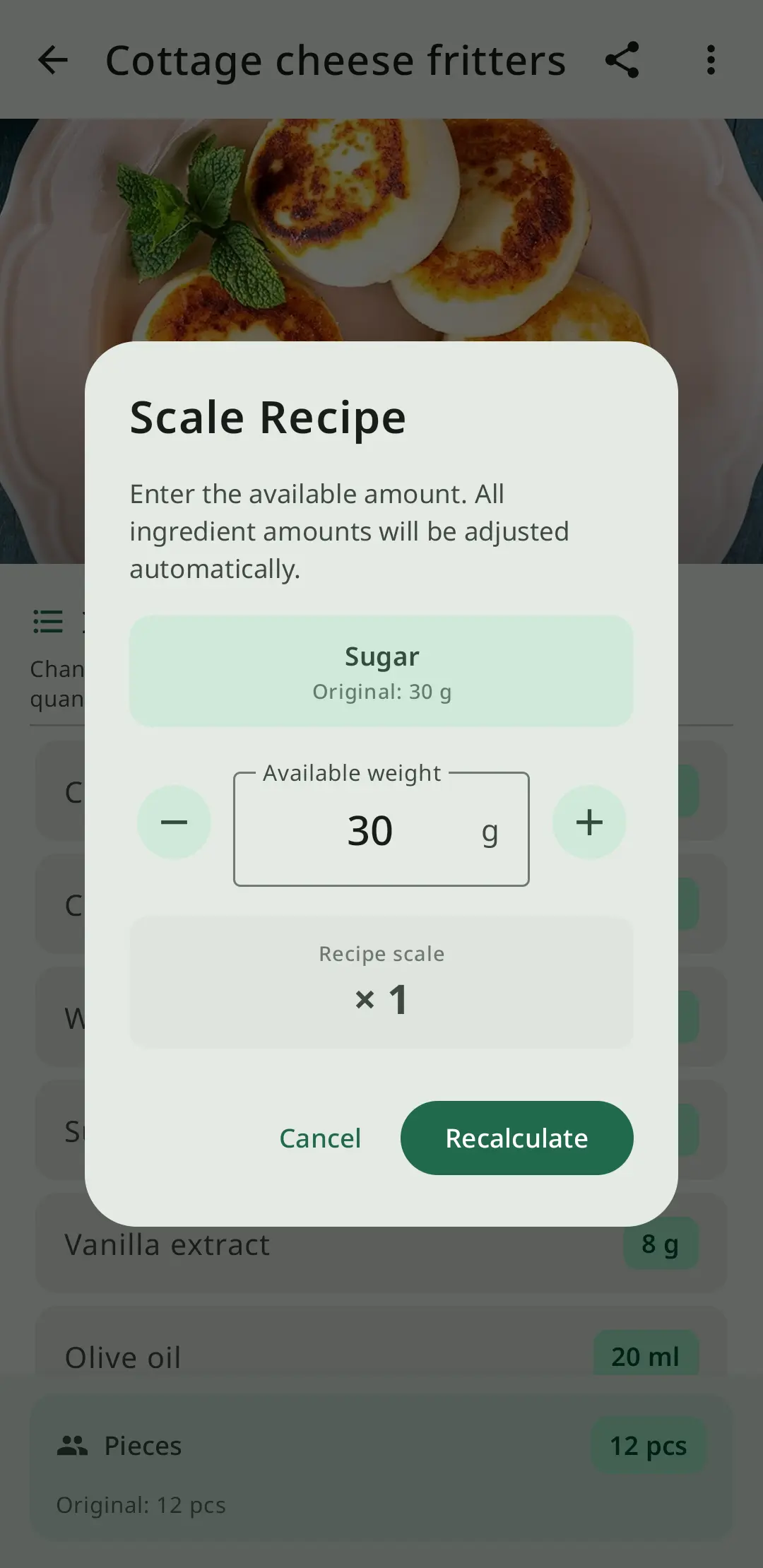
Know exactly what you're eating. RecipeFlow's nutrition calculator breaks down calories, protein, carbohydrates, fat, and key micronutrients for every recipe you save.
Values are calculated per serving automatically when you enter ingredient weights. Track your macros, make informed choices, and align your recipe collection with your dietary goals.
Baker's percentage is the professional method bakers use to express ingredient quantities relative to total flour weight. It makes scaling bread, pastry, and sourdough recipes predictable and consistent.
RecipeFlow automatically calculates baker's percentages for any recipe, so you can adjust hydration levels, salt ratios, and enrichments with confidence — just like a professional baker.
The meal planner in RecipeFlow takes your saved recipes and turns them into a structured weekly plan. Assign recipes to days, set serving sizes for each meal, and RecipeFlow automatically generates a consolidated shopping list with all ingredients you need.
Save time at the grocery store, reduce food waste, and stick to your dietary goals with a well-planned weekly menu.
Never lose a recipe again. RecipeFlow uses cloud backup to keep your entire recipe collection safe. Your recipes sync automatically, so they're always up to date whether you're cooking at home or checking a recipe at the grocery store.
Restore your full cookbook instantly if you switch devices or reinstall the app. Your culinary library is always protected.
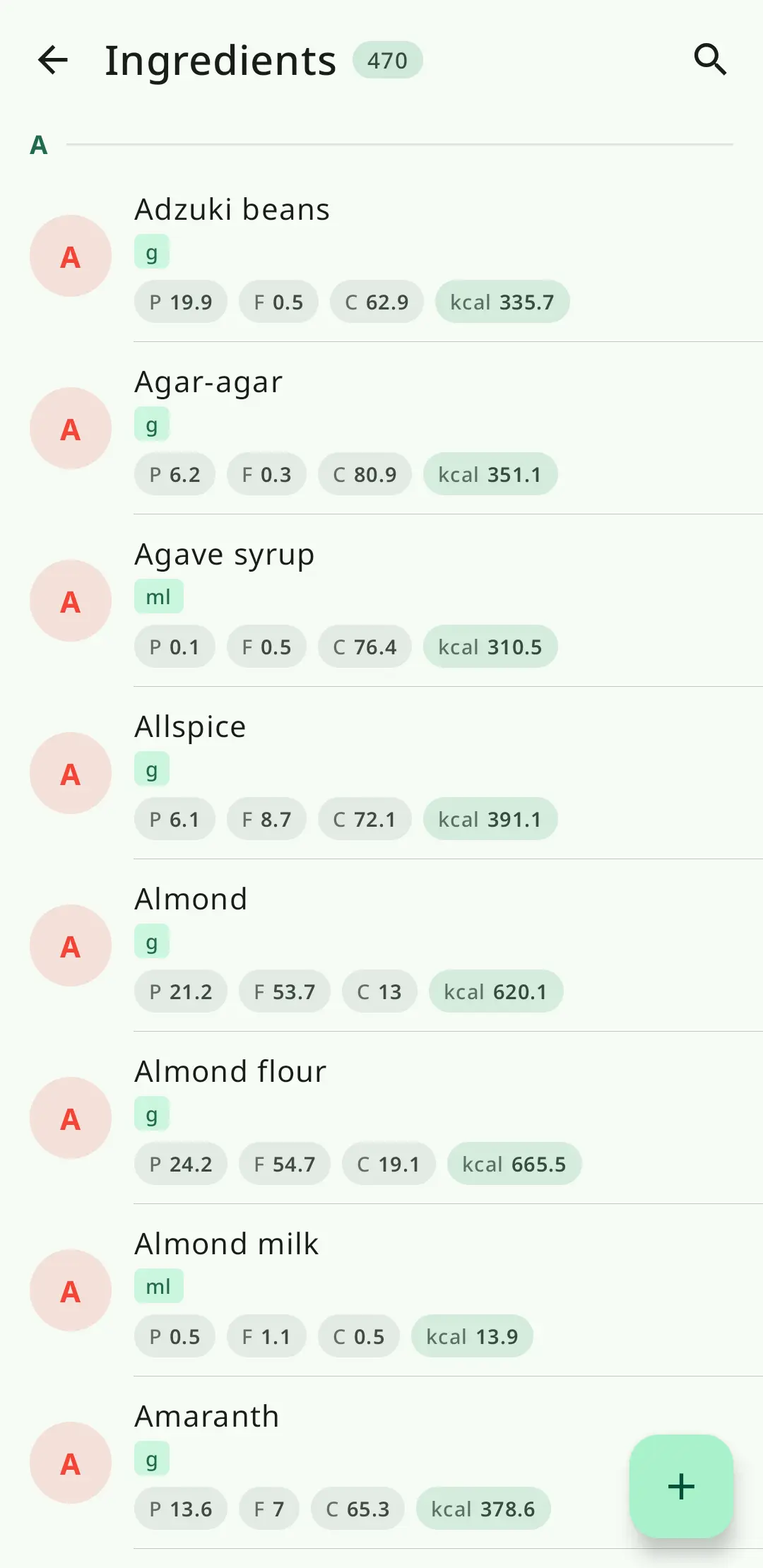
When it's time to cook, RecipeFlow's cooking mode presents your recipe one step at a time — keeping your screen on, your place saved, and your hands free. No more scrolling back to find which step you're on.
Organized ingredients, clear instructions, and a distraction-free interface help you cook any recipe from start to finish with confidence.
Finally a recipe app that actually works. I love that I can scale recipes instantly — doubled my grandmother's pie recipe for Thanksgiving without any math mistakes.
The nutrition calculator is a game changer. I can see exactly how many calories are in each serving of everything I cook. Way better than guessing.
I've tried dozens of recipe apps and this is the only one that has baker's percentage built in. As a bread baker, this is exactly what I needed.

Free online tools powered by RecipeFlow's recipe engine.
A recipe keeper is an app or system for saving, organizing, and retrieving recipes. Instead of scattering recipes across bookmarks, paper cards, and screenshots, a recipe keeper — like RecipeFlow — gives you a single searchable digital cookbook. You can tag recipes by category (breakfast, dinner, dessert), add personal notes, and find any dish in seconds.
To scale a recipe, calculate the ratio: desired servings ÷ original servings. Multiply every ingredient by that ratio. For example, to double a recipe for 4 people to serve 8, multiply all ingredients by 2. RecipeFlow does this automatically — just enter the new serving count and every quantity updates instantly.
Important note for baking: Leavening agents (baking powder, baking soda, yeast) don't always scale linearly. When scaling baking recipes by more than 2×, reduce leavening by about 25% to avoid a metallic taste or over-risen result.
Cups measure volume, grams measure weight — and the conversion depends on the ingredient. Common conversions: all-purpose flour (1 cup ≈ 120–125g), granulated sugar (1 cup ≈ 200g), butter (1 cup ≈ 227g), water/milk (1 cup ≈ 240g). RecipeFlow's recipe converter handles these ingredient-specific conversions automatically.
Baker's percentage expresses every ingredient as a percentage of total flour weight, where flour = 100%. For example, if a bread recipe uses 500g flour, 350g water, 10g salt, and 5g yeast — the baker's percentages are: water 70%, salt 2%, yeast 1%. This system makes it easy to scale recipes, compare formulas, and adjust hydration or enrichment levels precisely. RecipeFlow calculates baker's percentages automatically for any recipe.
RecipeFlow lets you organize recipes with custom categories (Breakfast, Dinner, Baking, etc.), tags for dietary types (vegan, gluten-free, quick), and collections for special occasions. The search function finds recipes by name, ingredient, or tag. You can also create meal plans that pull recipes from your collection.
Yes. RecipeFlow automatically backs up your entire recipe collection to the cloud. Your recipes are safe even if you lose or replace your phone. Cloud sync means your cookbook is accessible across devices and always up to date.
In RecipeFlow, enter your recipe ingredients with their quantities and weights. The app calculates total and per-serving calories, protein, carbohydrates, and fat automatically. This is useful for meal planning, tracking macros, or simply understanding the nutritional profile of your home cooking.
Enter the total yield of your recipe (e.g., total weight of a cake, total volume of a soup) and the desired serving size. RecipeFlow divides the total by the serving size to tell you how many servings the recipe produces. You can also work backwards: enter the desired number of servings and let the app scale all ingredient quantities to match.
Yes — RecipeFlow is free to download on Android. Core features including recipe saving, scaling, conversion, and organization are available at no cost. Download it on Google Play to get started immediately.
Yes. You can add recipes manually by entering the ingredients and instructions directly in the app. Each recipe becomes part of your personal digital cookbook, searchable and scalable at any time.